
Free Guitar Fretboard Quiz App (No Download Required)
It runs right here in your browser: a fretboard quiz app, a guitar note finder app and a name-that-note quiz, no App Store needed. Add it to your home screen to play full screen.

Add Fretboard Quiz to your home screen
- Full screen: no browser bars over the fretboard
- One tap from your home screen
- Works offline after the first visit
- Free, nothing to download from a store
Pick your phone and browser below for the steps.
How to install the Fretboard Quiz app
Your browser's steps are open; the others are one tap away.
iPhone · Safari on iOS 26 or later
-
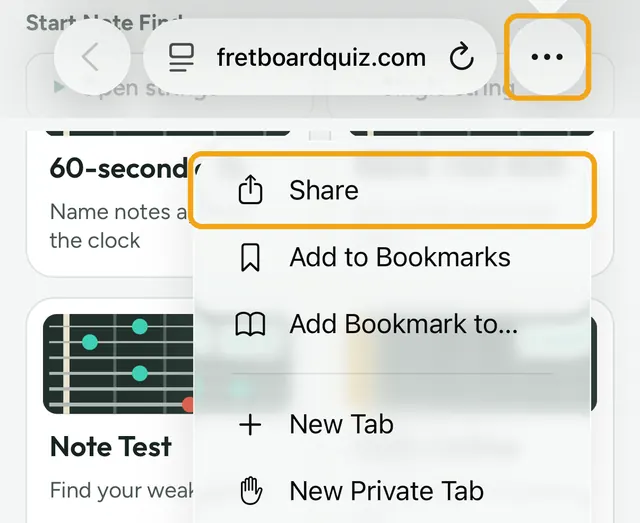
Tap ••• at the bottom right, then Share . Only the site name showing there? Tap it first.
-
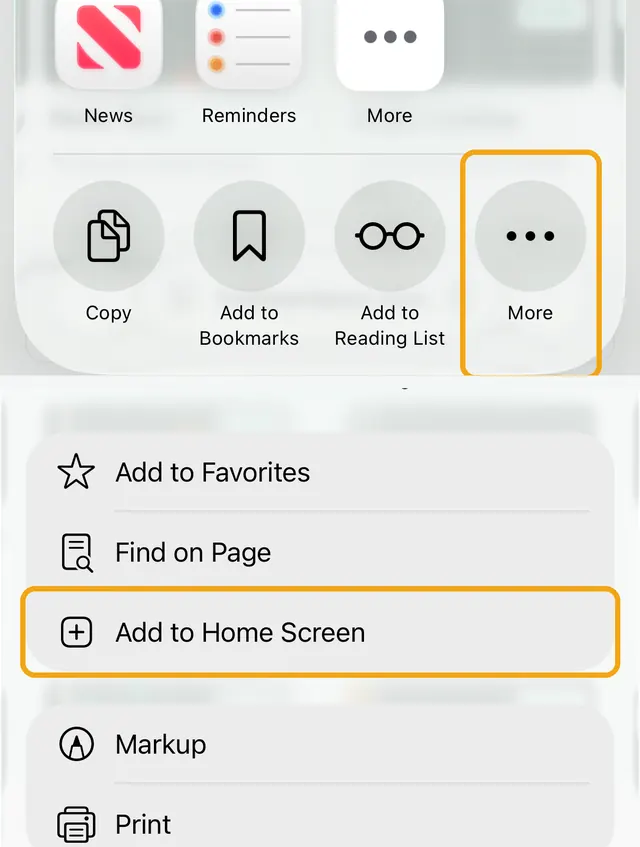
Tap More ••• at the end of the row, then Add to Home Screen .
-
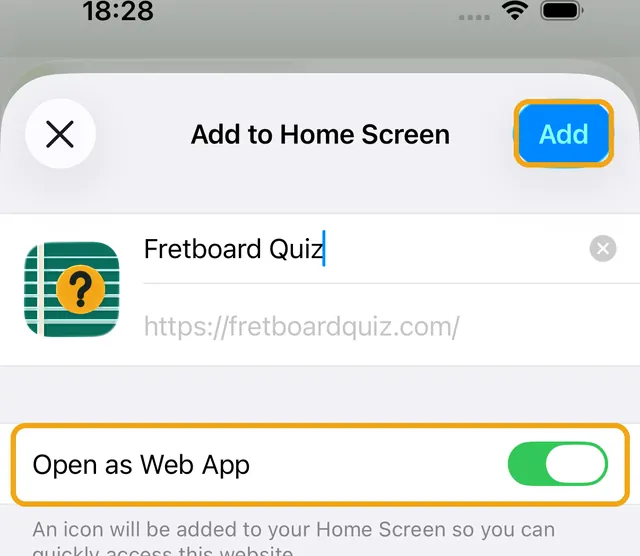
Leave Open as Web App on and tap Add.
iPhone · Safari on iOS 18 or earlier
-
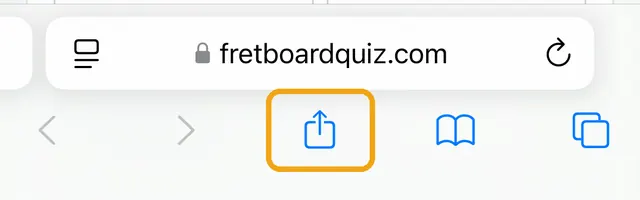
Tap Share at the bottom of the screen.
-
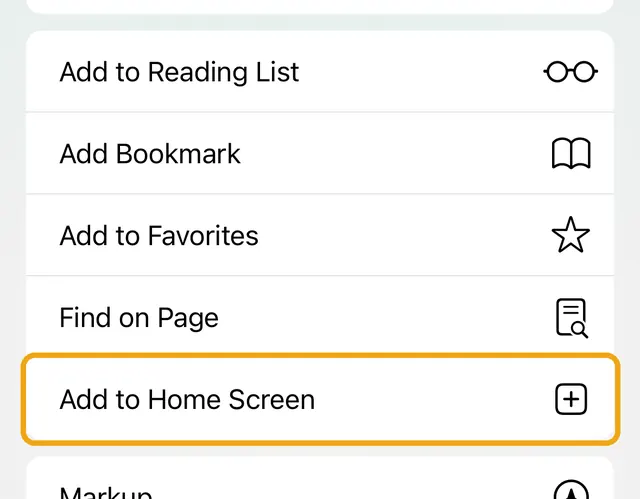
Scroll down and tap Add to Home Screen .
-
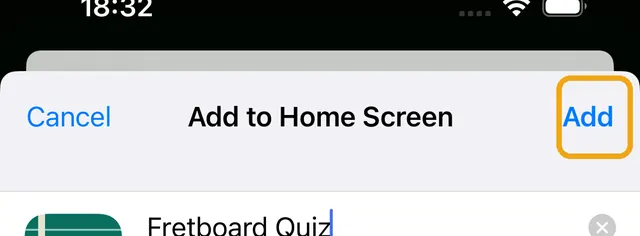
Tap Add at the top right.
iPhone · Chrome
-
Tap Share at the right of the address bar.
-
Tap Add to Home Screen . Scroll down or tap More if it isn't in view.
-
Tap Add.
iPad · Safari
-
Tap Share at the top right. If you don't see it, tap ••• first.
-
Tap Add to Home Screen . Scroll down or tap More if it isn't in view.
-
Tap Add.
Android · Chrome
-
Tap ⋮ at the top right in Chrome.
-
Tap Install app (or Add to Home screen, then Install).
-
Tap Install.
Android · Samsung Internet, Firefox and others
-
Samsung Internet: tap the install icon in the address bar, or ≡ then Add page to, Home screen.
-
Firefox: tap ⋮, then Install or Add to Home screen.
-
Other browsers: look for Install or Add to Home screen in the browser menu.
Inside Instagram, TikTok or Facebook
-
This app's built-in browser can't add pages to your Home Screen. Open the page in your browser first.
-
Tap ••• or the share button, then Open in Safari, Open in Chrome or Open in browser. Or copy the link and paste it into your browser.
-
There, tap Share and Add to Home Screen (iPhone), or Install (Android).
Computer · Chrome or Edge
Open fretboardquiz.com.
Click the install icon at the right of the address bar.
Click Install. The quiz opens in its own window.
 FretGenius Guitar Fretboard Trainer app Want more than a quiz? A daily practice plan that tracks your progress. For iPhone and Android. Try FretGenius
 Guitar fretboard quiz app FAQ
Is this a real guitar fretboard quiz app?
It is a mobile-first web app you can install from your browser. It runs fullscreen and behaves like an app once added to your home screen.
Does the app work offline?
Yes, after your first visit. The app shell, fonts, and audio cache so you can keep practicing without a connection.
Do I need the App Store or Google Play?
No. Install directly from the browser in seconds.
What should I do if I do not see an install prompt?
iPhone never shows one: tap Share (in the ••• menu on iOS 26), then Add to Home Screen. On Android, open the Chrome ⋮ menu and tap Install app. Inside Instagram, TikTok or Facebook, open the page in your browser first.
Will my quiz settings carry over?
On Android, yes. On iPhone the Home Screen app keeps its own storage, so your settings and board theme start fresh the first time you open it.
Offline: the app works without a connection after the first visit. If you clear your browser data, open the site once more before going offline. Explore all quizzes.